
How do I modify or transform a pre-configured variable?
Pre-configured variables cannot be edited directly. This means advanced settings cannot be applied, such as a default value or lookup table to variables like {{ClickDestinationUrl}}.
To extend a pre-configured variable, create a Custom JavaScript variable that returns the pre-configured value. You can then configure advanced settings on the new variable.
Use a pre-configured variable
You can access a pre-configured variable directly inside a Custom JavaScript function using double curly braces. For example:
function () {
    return {{ClickDestinationUrl}};
}
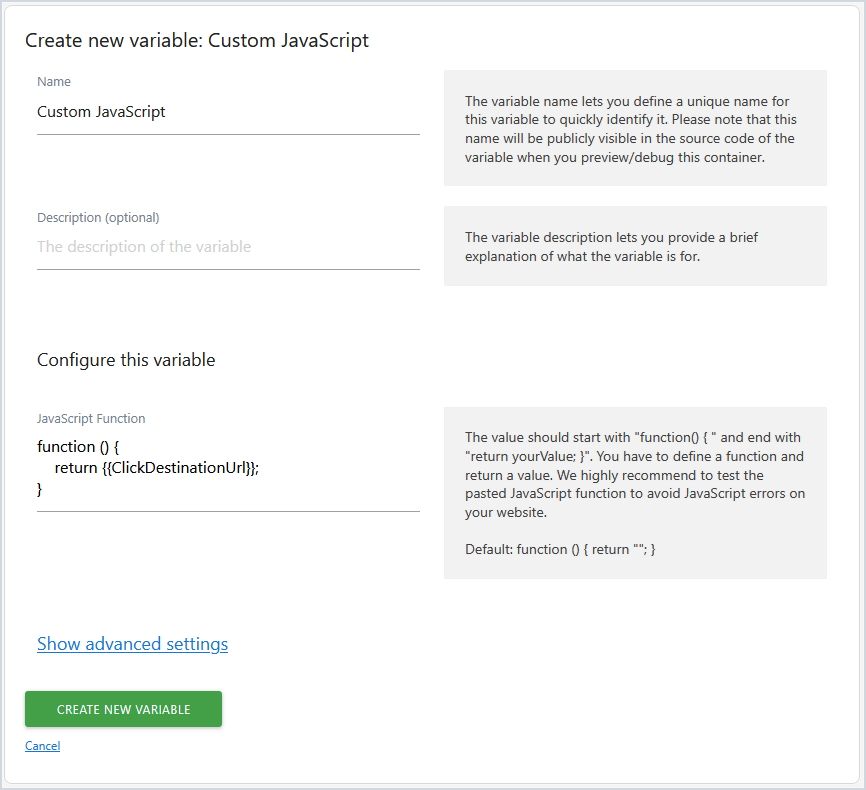
After saving this variable, click Show advanced settings to add a default value or lookup table.
For example, map destination URLs to labels:

When the variable is evaluated, it returns the mapped value instead of the full URL.
Using custom defined variables
You can also use your own user-defined variables inside a Custom JavaScript variable.
For example, reference a user-defined variable named browserLanguage:
function () {
// return the value determined from `browserLanguage` variable and append a string "country" along with it
     return {{browserLanguage}} + 'country';
}

This allows you to reuse existing values and extend them with additional logic.
Combine variables and logic
You can also combine multiple variables and apply conditions within the same function. For example, transform values before sending them, combine multiple data points, or apply fallback logic.
function () {
    if ({{ClickElement}}) {
        return {{ClickElement}}.getAttribute('href');
    }
    return 'Not Found';
}