
How to use the API Reference in Matomo
The API Reference feature adds a Swagger UI page inside Matomo, allowing developers to browse API documentation for the Matomo plugins installed on their instance. Developers can use this interface to review available API endpoints and try requests directly against their own Matomo data.
This guide explains how to access the Swagger API Reference, generate API specifications, and test API requests using a valid Matomo API token.
How the Swagger API Reference works
The ApiReference plugin generates OpenAPI specifications for the plugins installed on your Matomo instance. These specifications are displayed in Swagger UI, where developers can:
- Browse available API endpoints.
- Review request parameters and response details.
- Authorise requests using a Matomo API token.
- Try API endpoints directly against their own Matomo instance and data.
The Swagger documentation is generated from a scheduled Matomo task that runs daily. This means newly installed or updated plugins may not appear immediately until the specification generation task has run.
Access the Swagger API Reference in Matomo
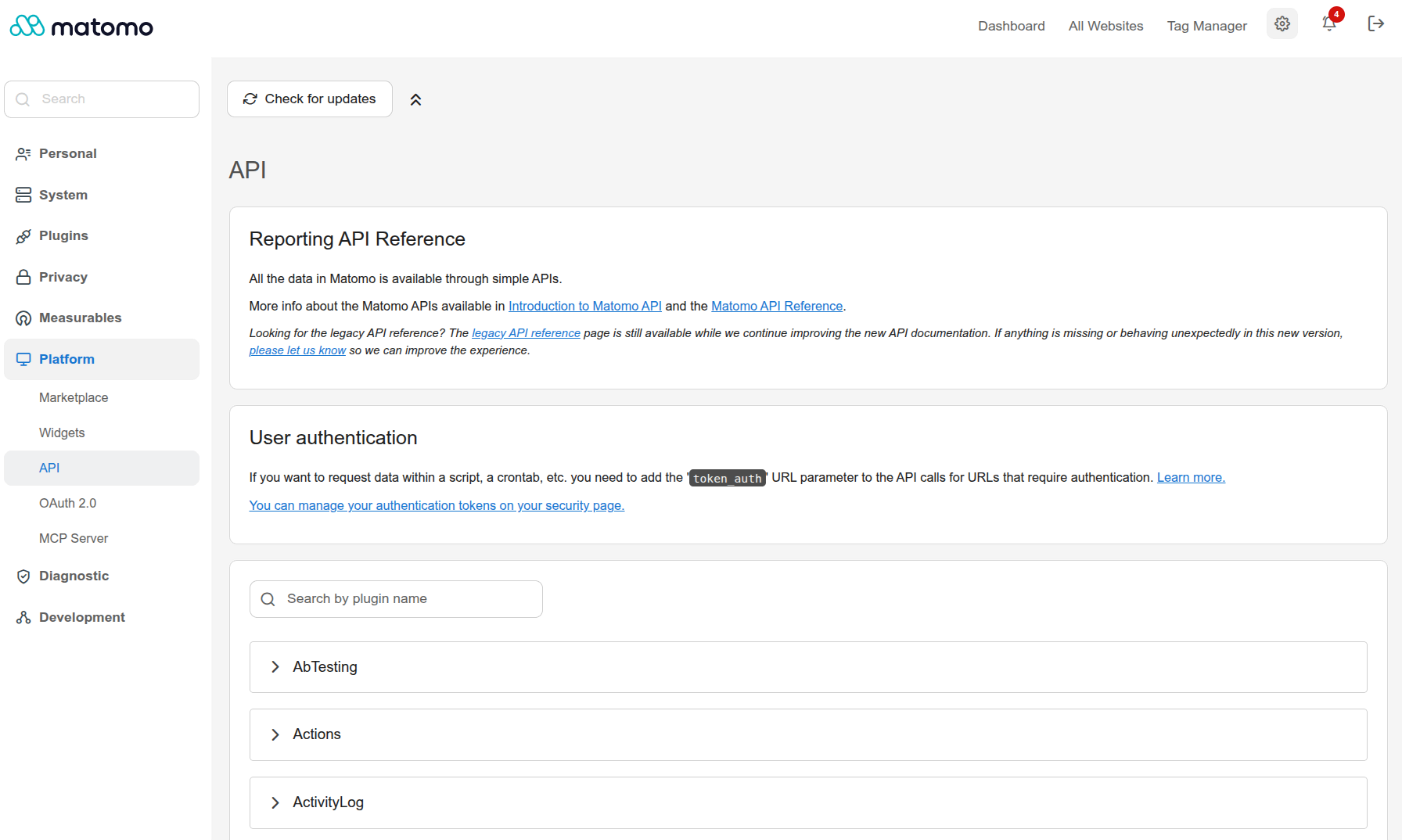
- To open the Swagger API Reference, log in to Matomo and open the Administration
 settings.
 - Navigate to Platform > API.
- The Swagger UI page will open and display the available API documentation for your installed plugins.
Generate API specifications
The API Reference generates the OpenAPI specifications using a daily scheduled Matomo task. If a plugin was recently installed, updated, or enabled, the API reference may not update immediately. The updated specification should become available after the next scheduled task run.
The initial generation process may take some time to complete, depending on the number of installed plugins.
You can also manually generate the API specifications using the following console command:
core:run-scheduled-tasks "Piwik\Plugins\ApiReference\Tasks.generateConfiguredPluginSpecs"
This command forces the OpenAPI specifications to be regenerated immediately for the configured plugins.
Authorise API requests
To try API endpoints from Swagger UI, you need a valid Matomo API token.
- Create or copy a Matomo API token from your Matomo user settings.
- Open Platform > API.
- Click Authorize in Swagger UI.
- Enter your API token.
- Confirm the authorisation.
After authorising, Swagger UI can send requests to your Matomo instance using your token. The results returned will be based on your Matomo permissions and the data available in your instance.
Try an API endpoint
- Once authorised, find the API endpoint you want to test.
- Expand the endpoint in Swagger UI.
- Click Try it out.

- Check the available parameters.
- Review the pre-populated example values and update any required fields if needed.

- Click Execute to send the request.
- Review the response returned by your Matomo instance.
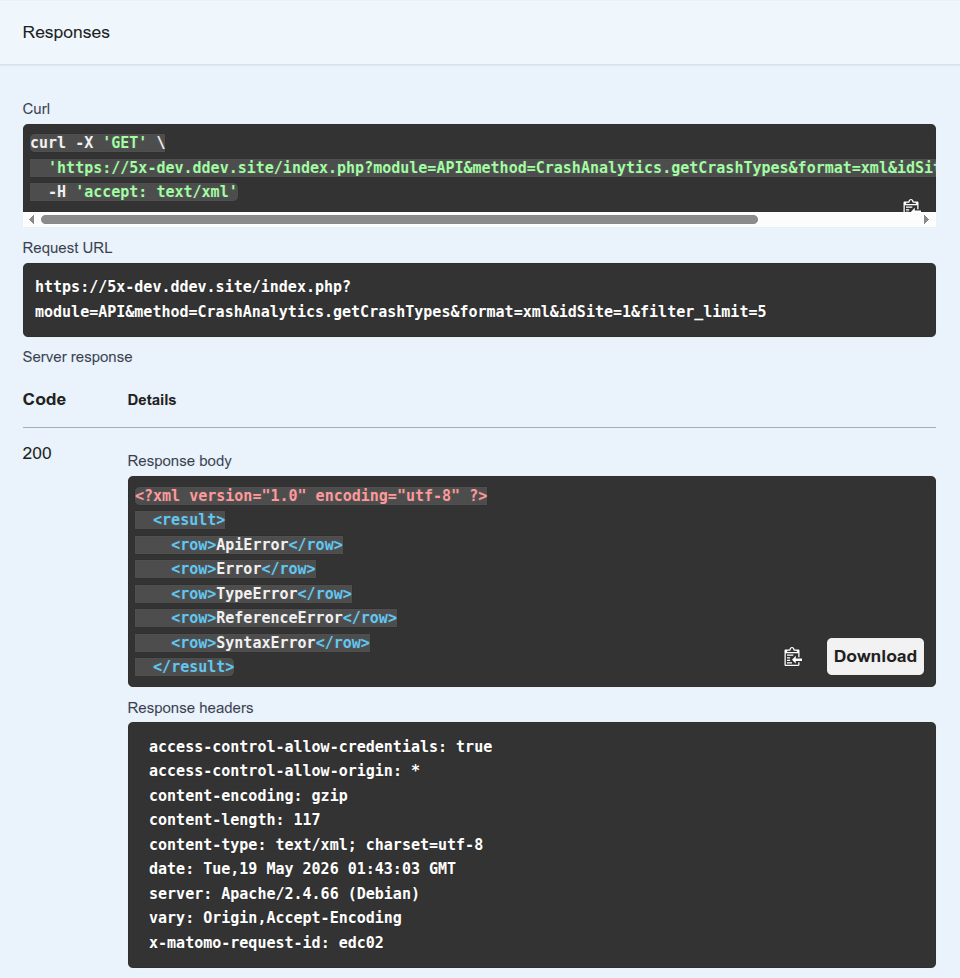
This is useful for developers who want to understand how Matomo API endpoints behave before integrating them into an external application or script.
Why is the OpenAPI specification file not generated?
This can happen if the API Reference plugin is disabled, the Matomo cache has not been cleared, or the API specification generation process encountered an error.
Try the following:
- Ensure the API Reference plugin is installed and activated.
- Clear the Matomo cache.
- Check your server logs for PHP or permission errors.
- Verify that the Matomo instance can write generated files to the configured directory.
- Ensure all required plugins and dependencies are enabled.
The specification files are generated daily using a scheduled Matomo task. To check when this task is scheduled to run next, use the TasksTimetable plugin.
The initial generation process may take some time to complete, depending on the number of installed plugins.
You can manually generate the specification files using the following command:
core:run-scheduled-tasks "Piwik\Plugins\ApiReference\Tasks.generateConfiguredPluginSpecs"
After running the command, the OpenAPI specification files should be regenerated and made available in the configured output directory.